Schematic Mod (Litematica) loads saved Minecraft builds as a see-through hologram, counts every block you need and flags mistakes as you place them, so huge projects in survival or creative stay accurate from the first block to the last.
For MC 26.1.2 and 1.21.1116M+ downloads 4.8 / 5Developer: masa
Open sourceNo ads or trackingOfficial mirrors only
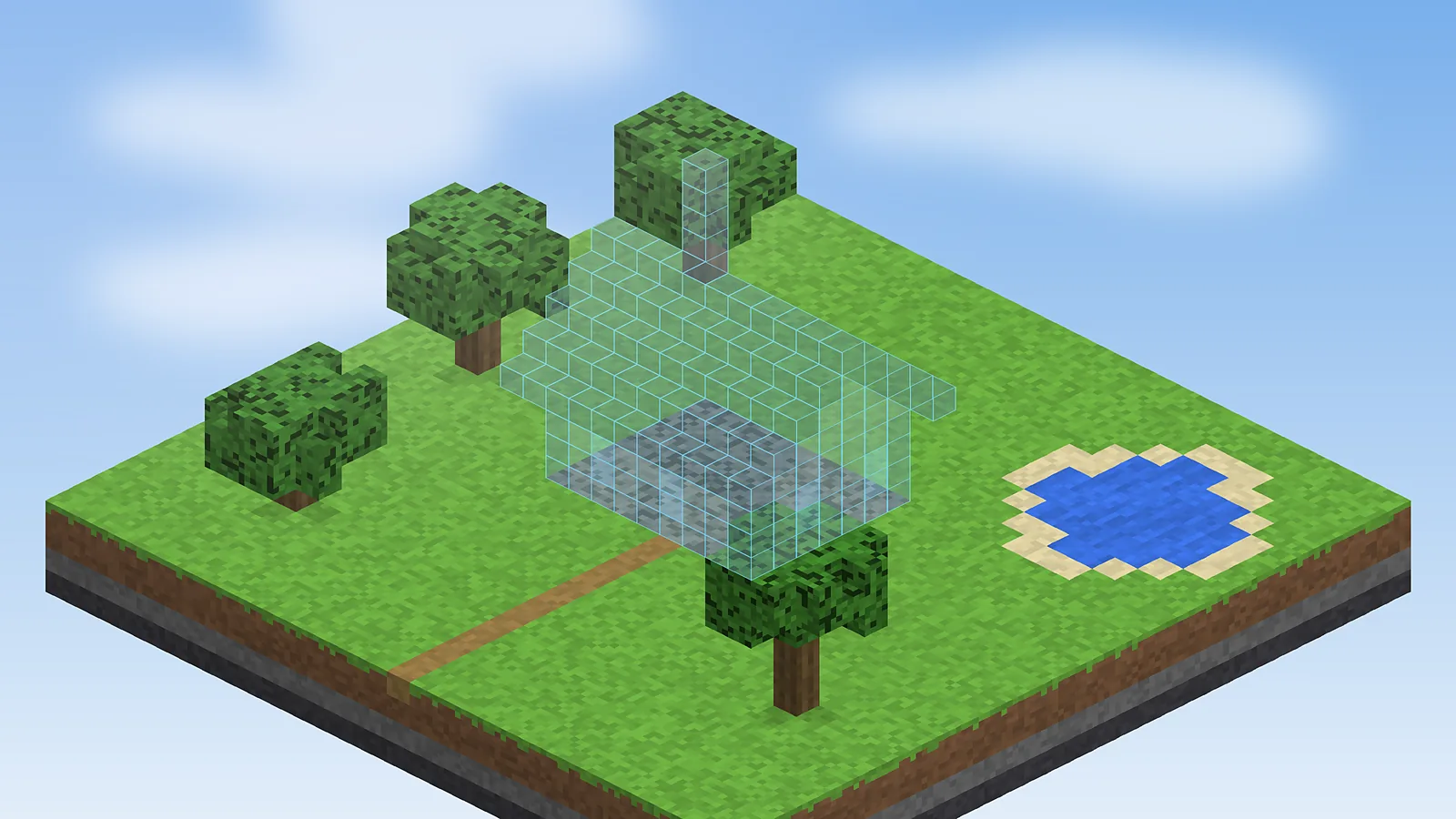
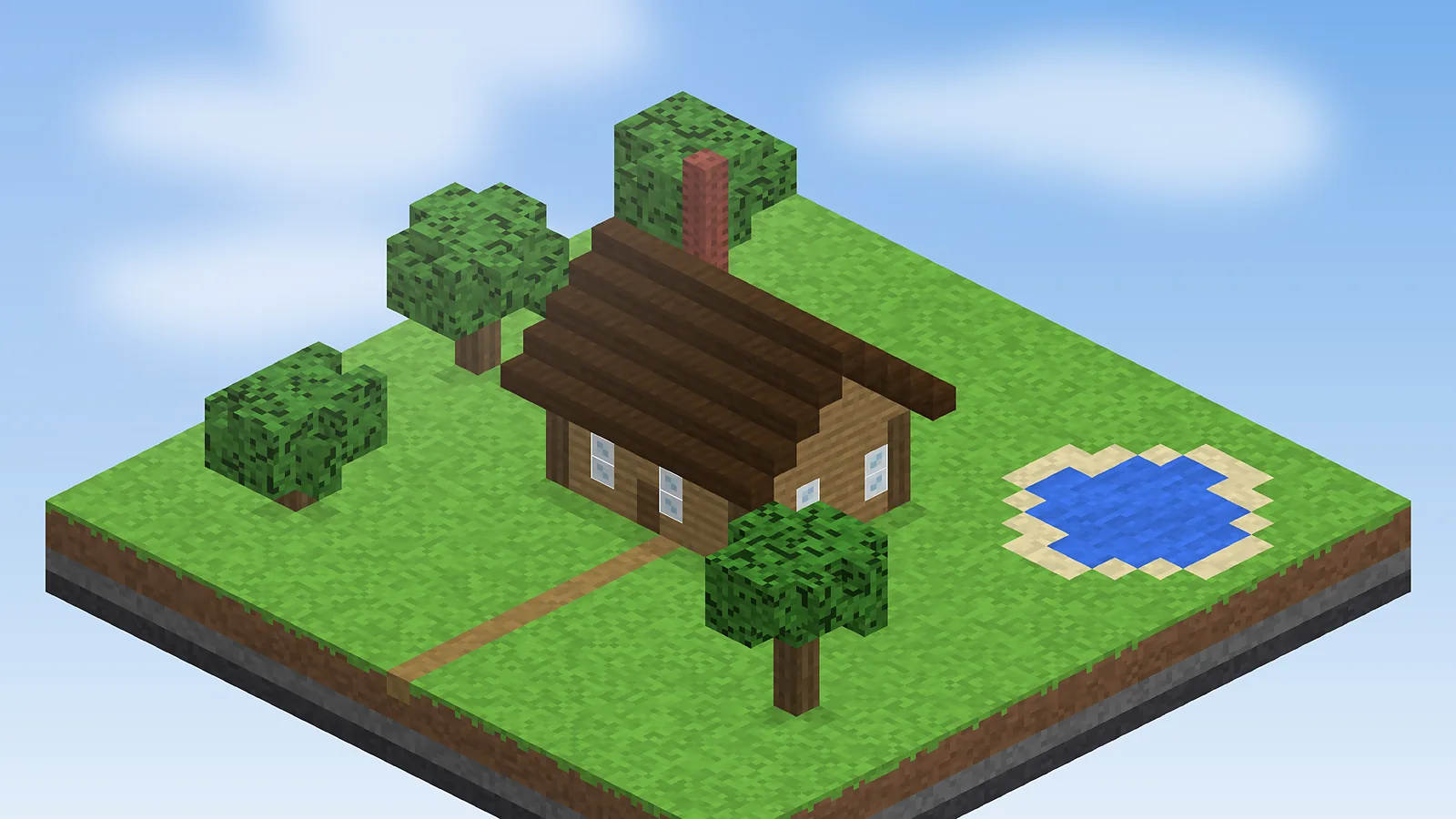
cozy_cabin.litematicDrag to compare
BuiltHologram
Layers 1 to 14Missing 0 blocksVerifier Passed
Material list: why players trust Schematic ModUpdated Sept 2026
16M+Modrinth downloads
4.8 / 5Average user rating
Every MC updateVersion updates
5 platformsWindows, macOS, Linux, Android, iOS
LGPL-3.0Open-source licence
Layer 01 About
What Is Schematic Mod?
A plain-English overview of the mod, where it came from and who gets the most out of it.
What is it
Schematic Mod is the name most players use for Litematica, a free, client-side Minecraft mod that loads a saved build as a see-through hologram so you can rebuild it block by block. It saves any area you select into a .litematic file, shows exactly which blocks go where, and counts every material you still need.
Developer
masa (maruohon)
Mod loader
Fabric (primary)
Requires
MaLiLib library
File format
.litematic
Licence
LGPL-3.0
Price
Free
History
Developer masa (maruohon) started Litematica on Minecraft 1.12.2 as a LiteLoader alternative to Schematica for players who did not want Forge. It moved to Rift on 1.13.2 and to Fabric from 1.14 onward, and it has followed every major release since, up to the 26.1 line.
Purpose
Its job is simple: remove guesswork from big builds. Instead of counting blocks off a screenshot, you place a ghost copy of the design in your world and fill it in, with the mod warning you about wrong or missing blocks as you go.
Who should use it
Survival builders copying megabases, creative players designing in one world and building in another, server build teams sharing plans, technical players rebuilding redstone farms, and teachers who use Minecraft for spatial learning.
Why it was created
Schematica stopped at Minecraft 1.12.2 and was tied to Forge. Litematica was created to keep schematic building alive on lighter loaders, and it added tools Schematica never had, such as sub-regions, a verifier and precise layer rendering.
After years of schematic tools coming and going, Litematica is the one that stuck. The learning curve is real for the first hour, but once the main menu and layer keys click, it turns a week-long survival project into a calm, predictable build.
Layer 02 Features
Key Features That Matter
Nine tools that turn a saved build into a guided, mistake-free building session.
Hologram Placement
Drop a transparent copy of any build into your world and line it up exactly where you want it, before a single block is placed.
Layer-by-Layer View
Show one layer, a range or everything below a height so big builds stay readable from the inside.
Live Material List
See the total, missing and available count for every block, and export the list to a file.
Schematic Verifier
Highlights wrong, missing and extra blocks so mistakes never hide.
Easy Place Mode
Right-click the hologram and the correct block, facing and state go in automatically.
Save Any Build
Select an area with the tool item and save it as a portable .litematic file, sub-regions included, ready to share with friends or a whole server.
Creative Build Tools
Fill, replace, delete, clone and paste areas in creative mode without commands.
Rotate and Mirror
Turn and flip placements in 90 degree steps and preview the result instantly, so one design fits any plot, coastline or city block you are working with.
Multiple Placements
Load several schematics at once and toggle each one on or off.
Schematic Mod is tiny. If your computer runs Minecraft Java Edition, it runs Litematica.
Minimum Requirements
Runs on most PCs
OSWindows 10, macOS 12, modern Linux
CPUDual-core 64-bit processor
RAM4 GB system, 2 GB for Minecraft
GPUOpenGL 3.3 capable graphics
StorageUnder 5 MB for the mod files
JavaBundled with the official launcher
InternetOnly to download the files
Recommended Requirements
Smooth large builds
OSWindows 11, latest macOS or Linux
CPUQuad-core, 3 GHz or faster
RAM8 GB+ system, 4 GB for Minecraft
GPUDedicated GPU for large holograms
StorageSSD with space for your schematics
JavaLauncher-managed runtime
InternetNeeded for updates and sharing
Layer 04 Download
Schematic Mod Download
Official files only. The main button opens the developer's GitHub releases, with Modrinth and CurseForge as mirrors.
Litematica for Fabric
Pick the file that names your Minecraft version, then download MaLiLib for the same version.
Latest versionBuilds for MC 26.1.2 and 1.21.11
Release dateUpdated May 2026
File sizeUnder 5 MB (jar)
Developermasa (maruohon)
LicenceLGPL-3.0, free
Operating systemsWindows, macOS, Linux
Security checkOpen source on GitHub
Virus scanScan the jar on VirusTotal
SHA256 hashListed per file on Modrinth
Mirror downloadsModrinth and CurseForge
# Verify the SHA256 hash after downloading Windows: certutil -hashfile litematica-fabric.jar SHA256 macOS: shasum -a 256 litematica-fabric.jar Linux: sha256sum litematica-fabric.jar # Compare the result with the hash shown on the Modrinth file page
Get the latest build
Free, open source and ad-free. Always install MaLiLib alongside it.
Updating Minecraft soon? Download the build that matches your new version before you open your world, so your holograms load straight away.
Layer 05 Installation
Installation Guide
Step-by-step setup for every platform that runs Minecraft Java Edition.
Download and run the Fabric Installer, pick your Minecraft version and click Install.
Download the Litematica jar and the matching MaLiLib jar for the same Minecraft version.
Press Win + R, type %appdata%\.minecraft and open the mods folder (create it if missing).
Drop both jar files into mods. Do not unzip them.
Open the Minecraft Launcher, choose the fabric-loader profile and press Play.
In a world, press M. If the Litematica main menu opens, you are done.
Run the Fabric Installer (.jar or universal build) and install the client for your Minecraft version.
Download Litematica and MaLiLib for that exact version.
In Finder press Cmd + Shift + G and go to ~/Library/Application Support/minecraft/mods.
Move both jar files into the folder.
Launch the fabric-loader profile from the Minecraft Launcher.
Press M in game to confirm the mod loaded.
Run the Fabric Installer with java -jar fabric-installer.jar or use your launcher's Fabric option.
Download Litematica and MaLiLib for the same game version.
Copy both files to ~/.minecraft/mods (Flatpak and Prism users: use the instance mods folder).
Start the Fabric profile or instance.
Press M in a world to open the main menu.
Install a Java Edition launcher for Android such as PojavLauncher and sign in with your Microsoft account.
Create a Fabric profile for your Minecraft version inside the launcher.
Download Litematica and MaLiLib on your phone.
Open the launcher's mods folder for that profile and import both jar files.
Launch the profile, then map a touch button to M to open the menu.
Install a Java Edition launcher for iOS or iPadOS such as Amethyst from the PojavLauncher team.
Sign in, then create a Fabric instance for your game version.
Save the Litematica and MaLiLib jars to Files.
Import them into the instance's mods folder through the launcher.
Launch the instance and bind an on-screen key to M for the main menu.
Bedrock players: Schematic Mod is a Java Edition mod and does not run on Bedrock. Read the FAQ for Bedrock options, or the full install walkthrough for screenshots.
Layer 06 Guide
How to Use Schematic Mod
From your first hologram to advanced sub-region work, in short steps you can follow in game.
Open the main menu
Press M in any world. Every Litematica feature starts from this screen.
Load a schematic
Put a .litematic file into .minecraft/schematics, choose Load Schematics, select it and click Load.
Move the placement
Open Schematic Placements and adjust X, Y and Z, or hold the tool item (a stick by default) and nudge it into place.
Build from the hologram
Place real blocks inside the ghost copy. Correct blocks disappear from the overlay as you go.
Use sub-regions
Save a build as several boxes so you can move a wing, tower or farm module on its own.
Switch layer modes
Render a single layer or a range and step through with Page Up and Page Down.
Run the verifier
Start the Schematic Verifier to list every wrong block, wrong state and missing block.
Paste in creative
With the tool in Paste mode, place an entire schematic on single-player or where you have operator rights.
Match versions
Always keep Litematica, MaLiLib and Minecraft on the same version to avoid crashes.
Anchor with a corner
Build one corner block first and lock the placement so the hologram never drifts.
Back up schematics
Copy your schematics folder before big updates or when switching launchers.
Check server rules
Printing and pasting may be restricted on public servers, so ask the staff first.
Export the list
Write the material list to a file and share it with friends helping you gather.
Colour cues
Missing blocks, wrong blocks and wrong states use different overlay colours you can change.
Rebind keys
If M clashes with another mod, change it under Configuration, Hotkeys.
Save a snapshot
Save your own base as a schematic before a risky redesign as a quick undo.
Keyboard Shortcuts
Keys
Action
M
Open the Litematica main menu
M + C
Open the configuration menu
M + L
Open the material list
Page Up / Page Down
Move to the next or previous layer
Ctrl + Scroll
Cycle the tool mode while holding the tool item
Left / Right click
Set area corners 1 and 2 with the tool item
M + R
Toggle all Litematica rendering
Defaults in recent builds. Change any key under Configuration, Hotkeys. More in the hotkeys guide.
Layer 07 Workflow
How It Works
The whole Schematic Mod workflow in five steps, from selecting a build to verifying the copy.
1
Select
Mark two corners of any build with the tool item to create an area selection.
2
Save
Save the selection as a .litematic file with blocks, states and sub-regions.
3
Load
Load the file on any world or computer from the schematics folder.
4
Place
Position the hologram, then rotate or mirror it to fit your plot.
5
Build
Fill the hologram and let the verifier catch every wrong block.
Layer 08 Compatibility
Compatibility Table
Where Schematic Mod runs, what it needs and which mods it works alongside.
Category
Supported
Notes
Operating systems
Windows 10/11, macOS 12+, Linux
Anywhere Minecraft Java Edition runs
Browsers
Chrome, Edge, Firefox, Safari
Only needed to download the files
Devices
Desktop, laptop, Chromebook (Linux)
Android and iOS through Java launchers
Framework support
Fabric Loader
Community ports exist for other loaders
Required library
MaLiLib
Must match the Minecraft version
Integration support
Tweakeroo, MiniHUD, Printer add-ons
Same MaLiLib base, check release notes
Minecraft editions
Java Edition
Not available for Bedrock Edition
Layer 09 Verdict
Pros and Cons
An honest look at what Schematic Mod does brilliantly and where it asks a little more of you.
What we like
Completely free and open source under LGPL-3.0
Works in survival, not only creative
Precise layer rendering for tall and hollow builds
Material list removes guesswork when gathering
Verifier catches wrong blocks and wrong rotations
Updated for new Minecraft releases
Client-side, so it works on most servers
What could be better
Learning curve for the first hour
Needs MaLiLib as a second download
Fabric-first, so Forge users may need a port
Java Edition only, no Bedrock version
Very large holograms can lower FPS on older PCs
Layer 10 Use cases
Who Uses Schematic Mod
Different players, one shared goal: building exactly what was planned.
Students
Recreate famous landmarks at scale and learn symmetry, proportion and planning.
Gamers
Rebuild survival megabases, farms and castles without losing count.
Developers
Map makers and modpack authors ship builds as clean, reusable files.
Business users
Server owners and build teams share plans and hand off commissions.
Researchers
Reproduce identical structures for classroom studies and experiments.
Content creators
Plan build videos and timelapses with a perfect reference in place.
Layer 11 Screenshots
Screenshots Gallery
Holograms, menus and tools as they look in game. Click any image to enlarge it.
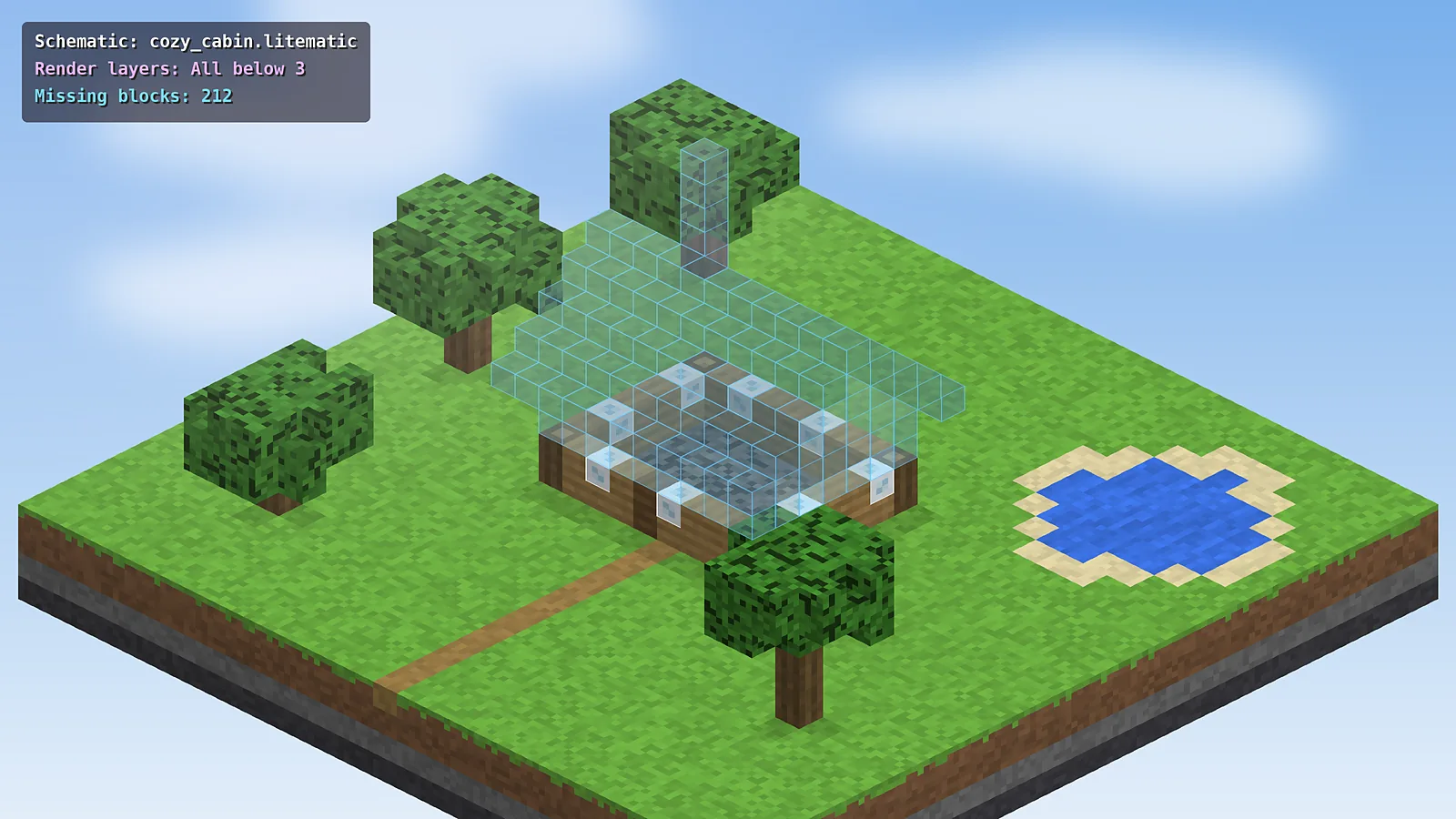
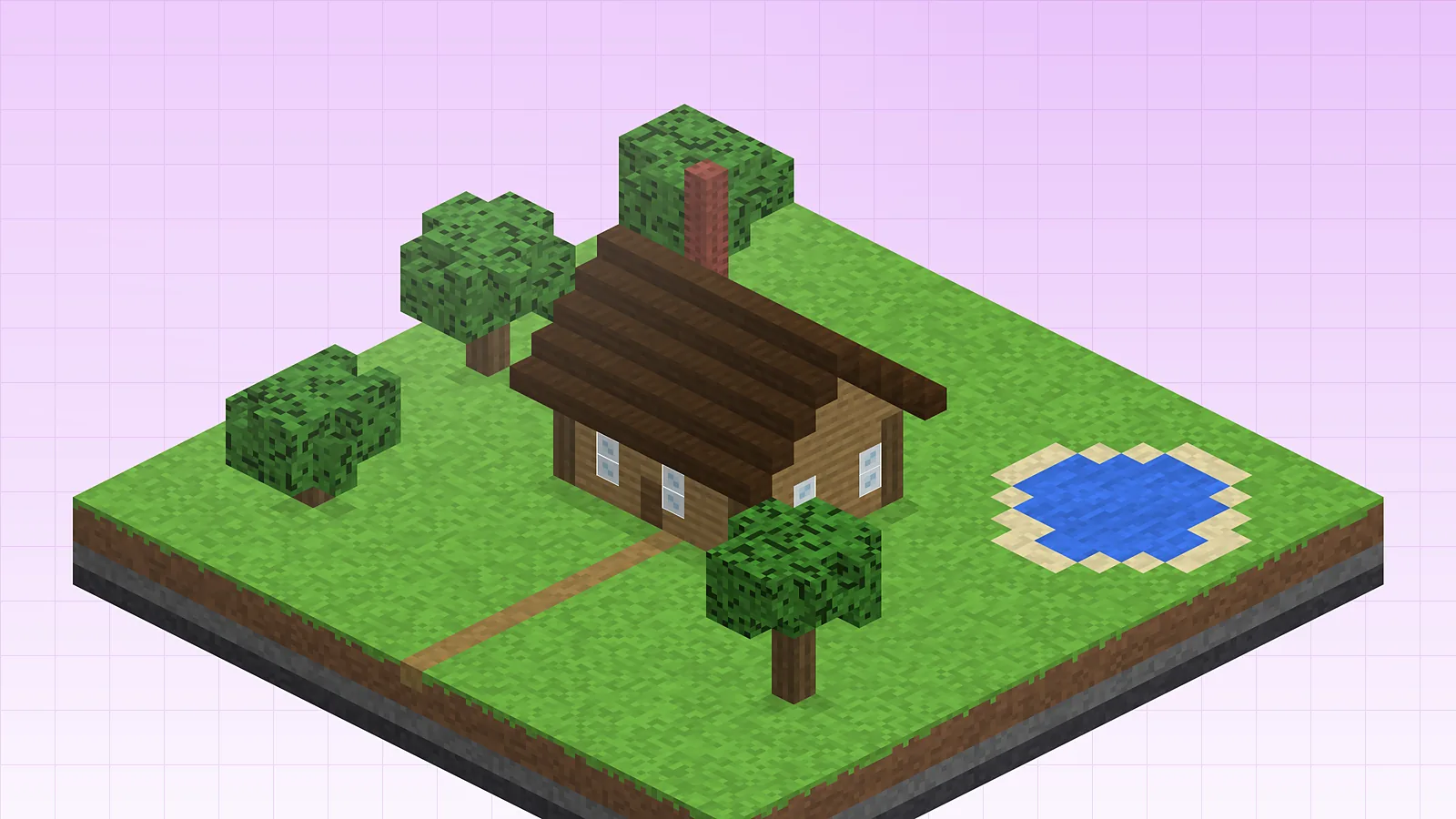
Layer-by-layer hologramA cabin schematic with the lower layers built and the rest still shown as a hologram.
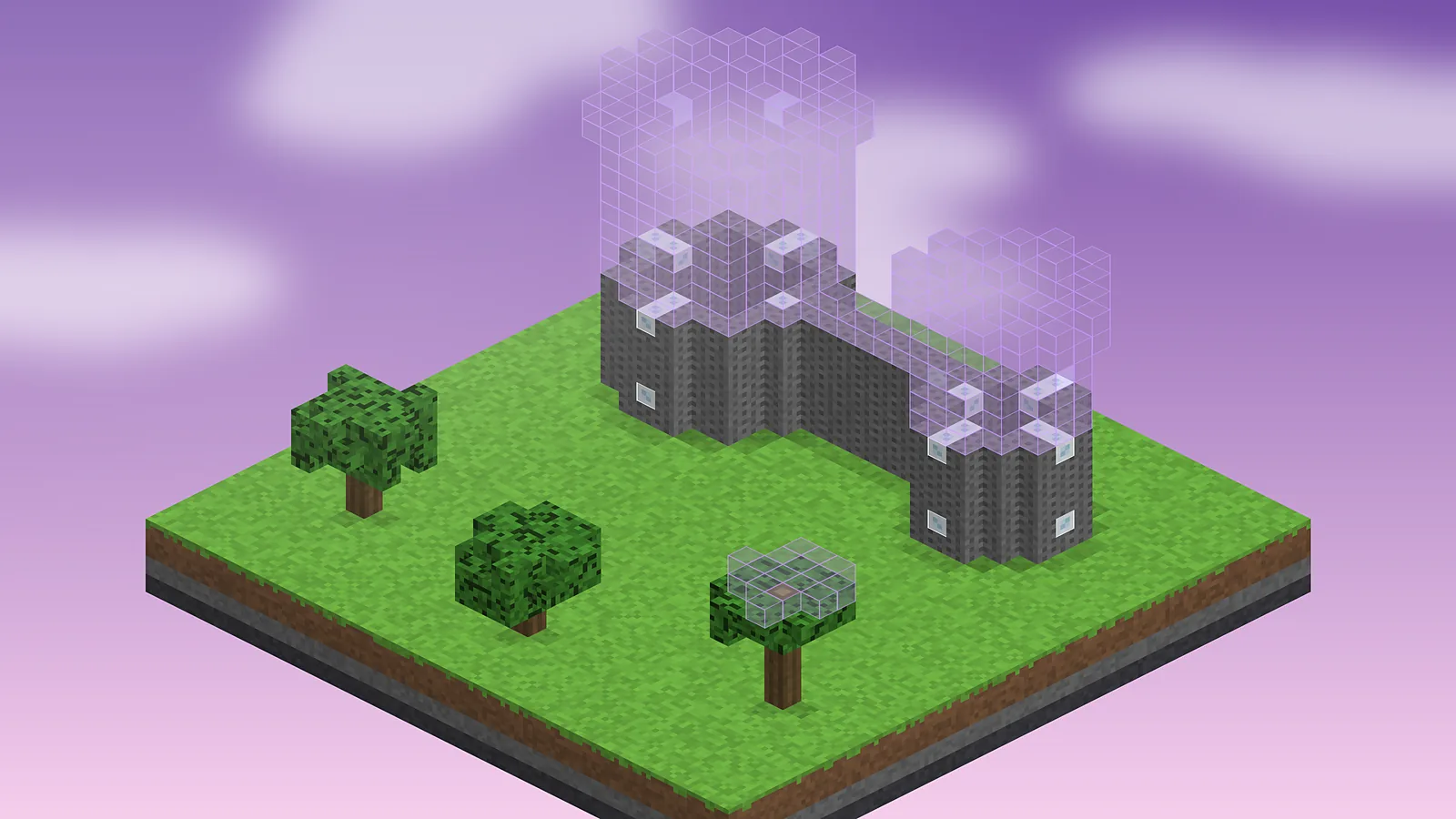
Castle tower schematicUpper castle walls and towers rendered as ghost blocks during a dusk build.
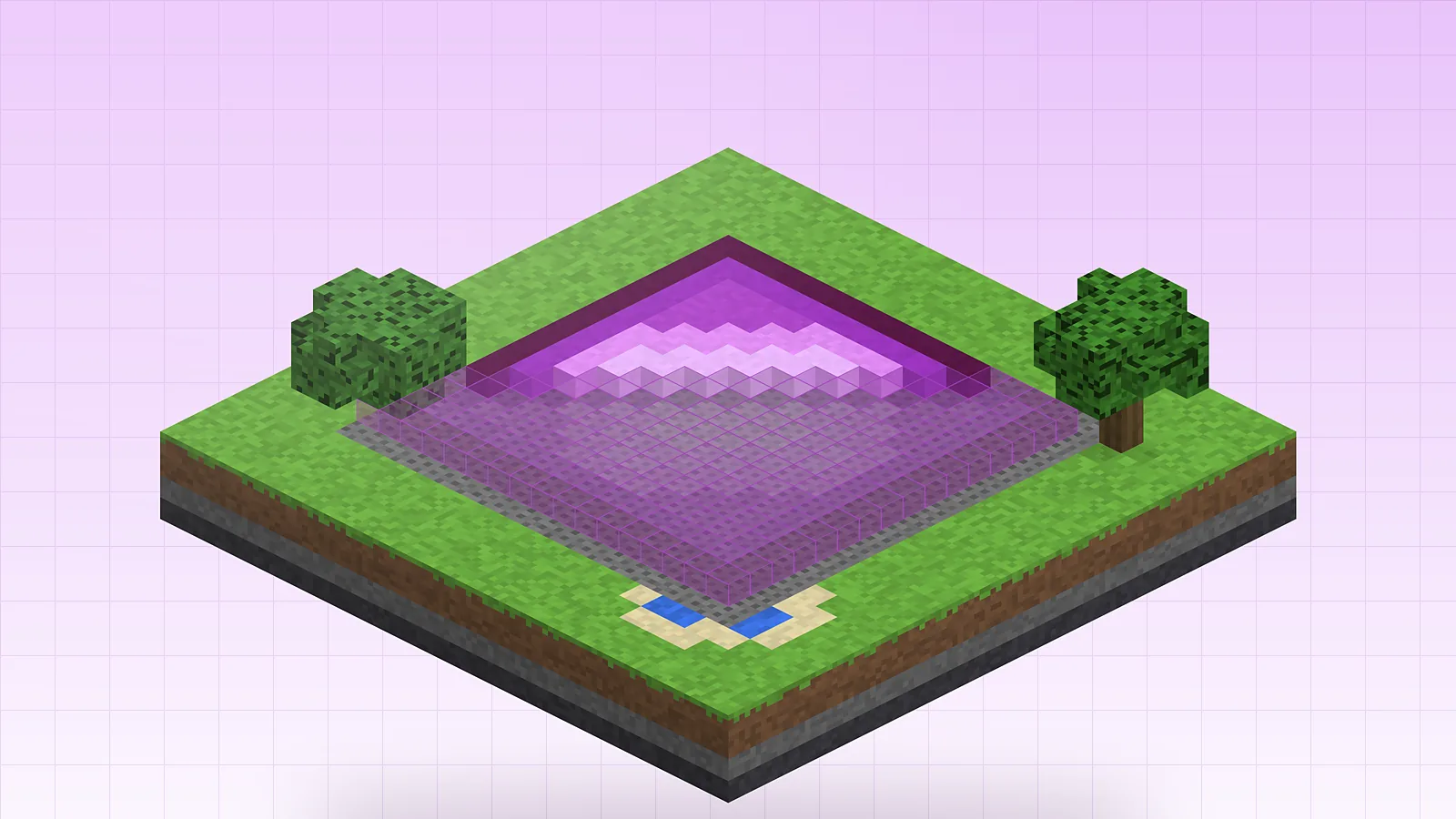
Pixel art placementFlat pixel art half placed, with the remaining pixels shown as a magenta overlay.
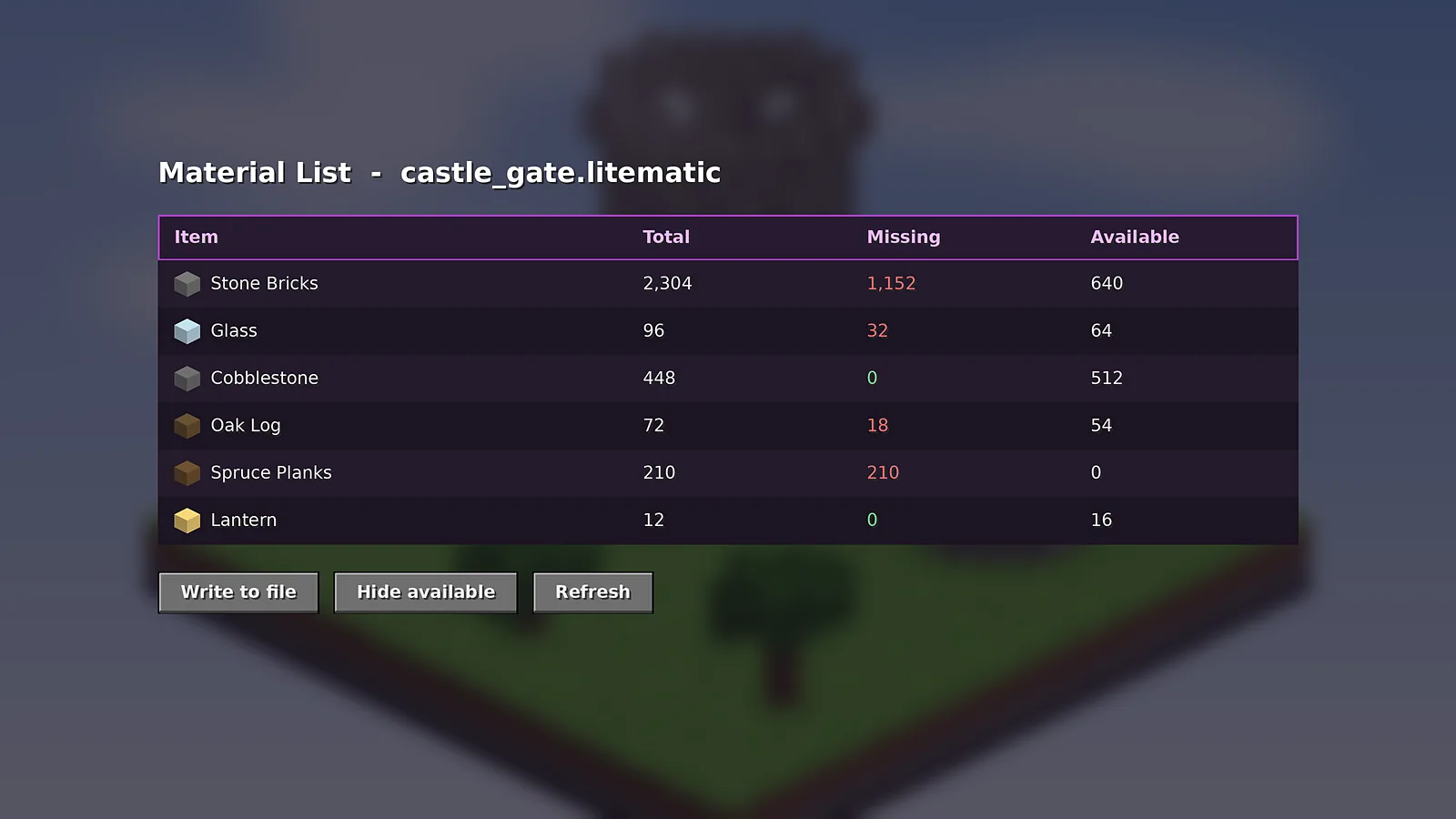
Material list screenThe material list showing total, missing and available blocks for a castle gate.
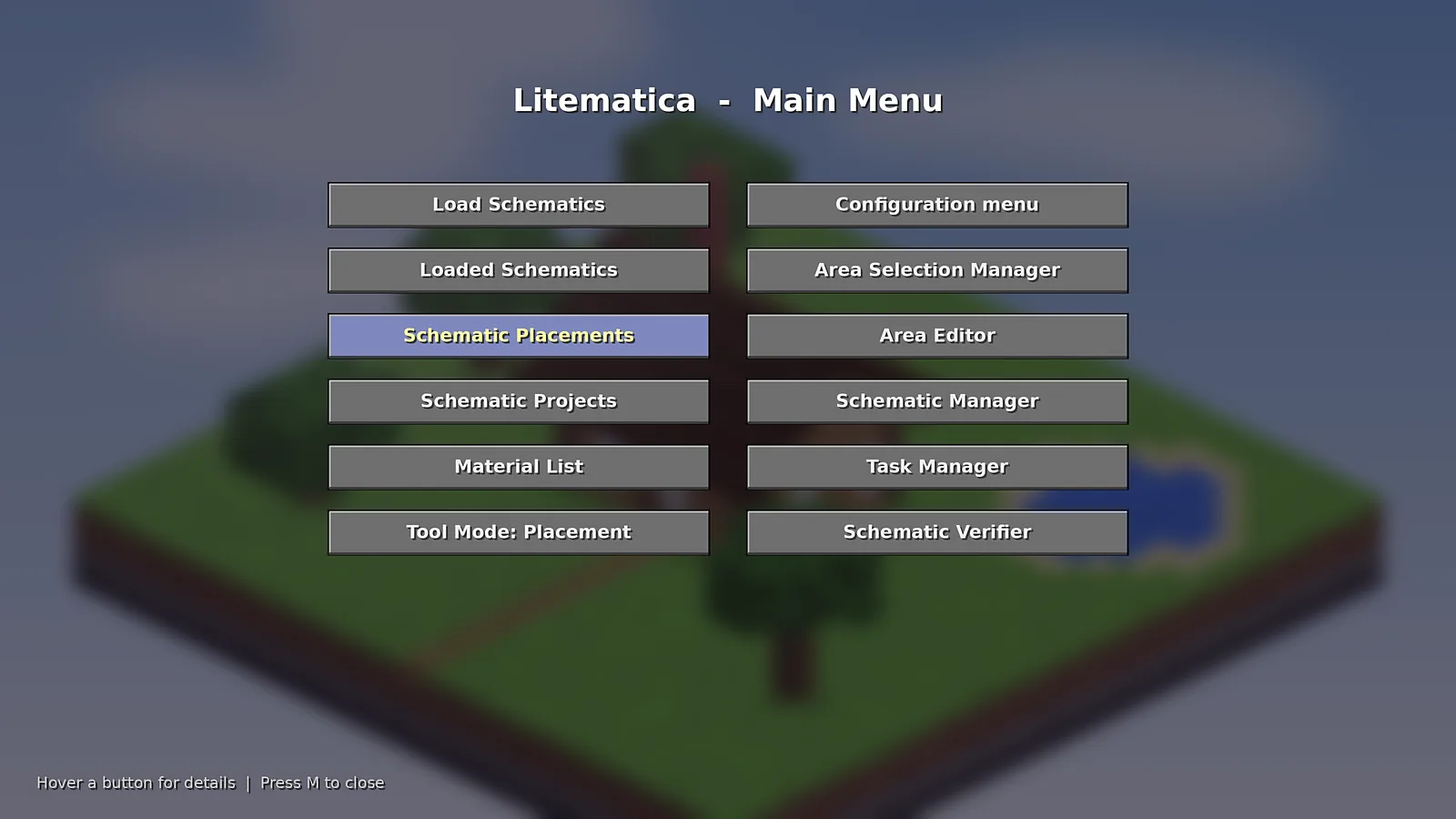
Litematica main menuThe main menu that opens with the M key, listing every tool in the mod.
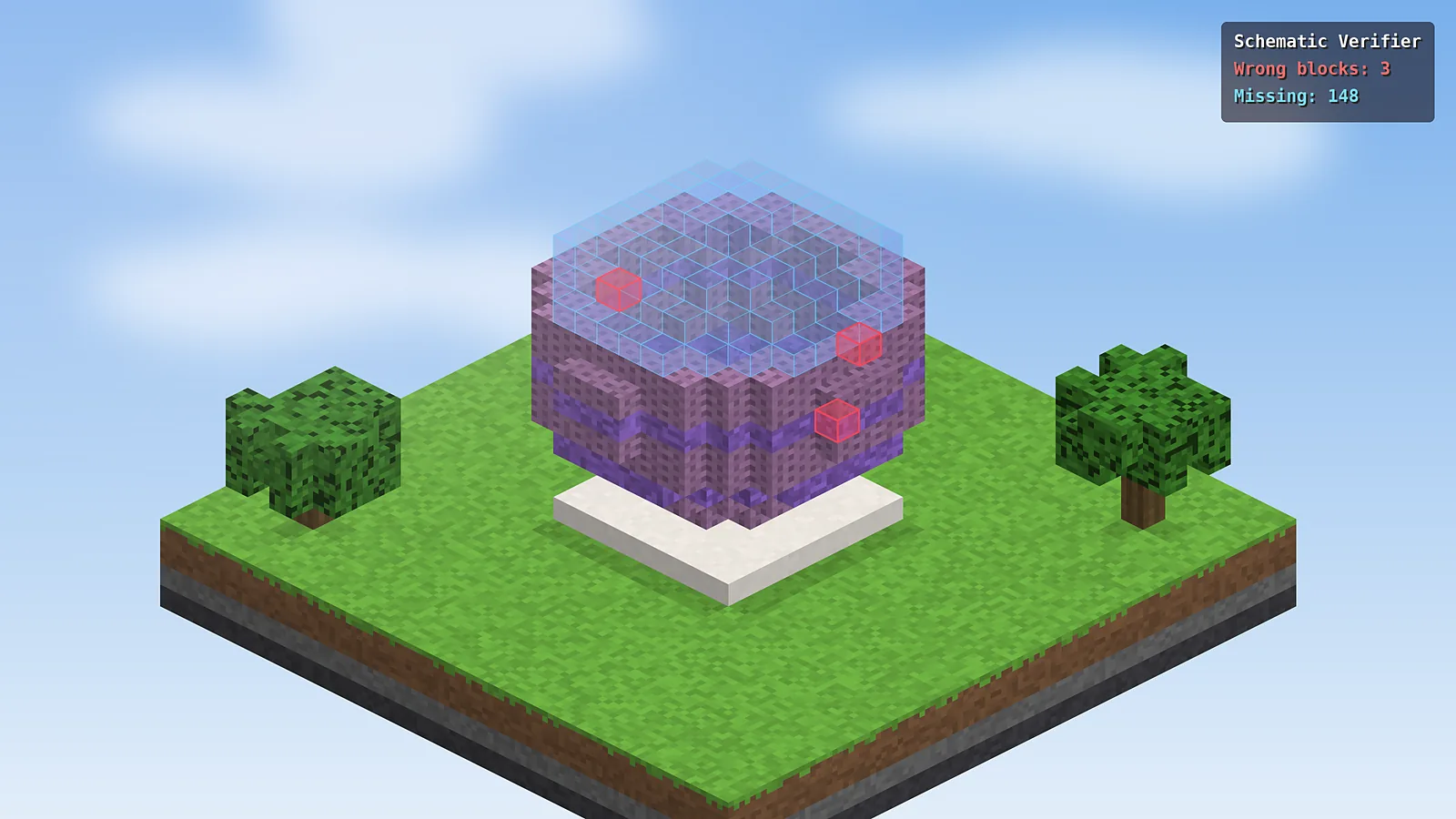
Schematic verifierThe verifier marking three wrong blocks in red on a spherical build.
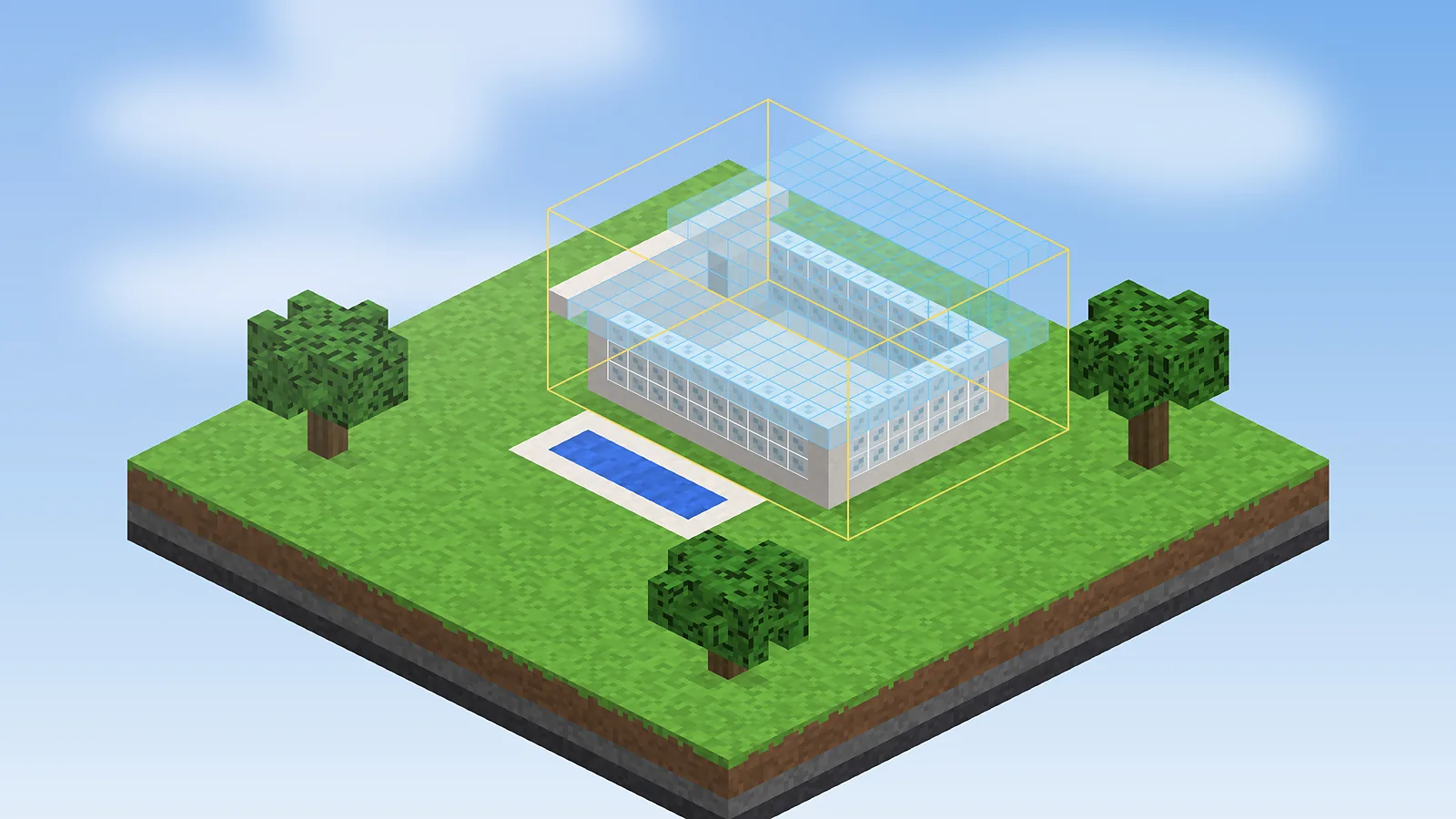
Placement bounding boxA modern villa placement framed by its yellow bounding box before building.
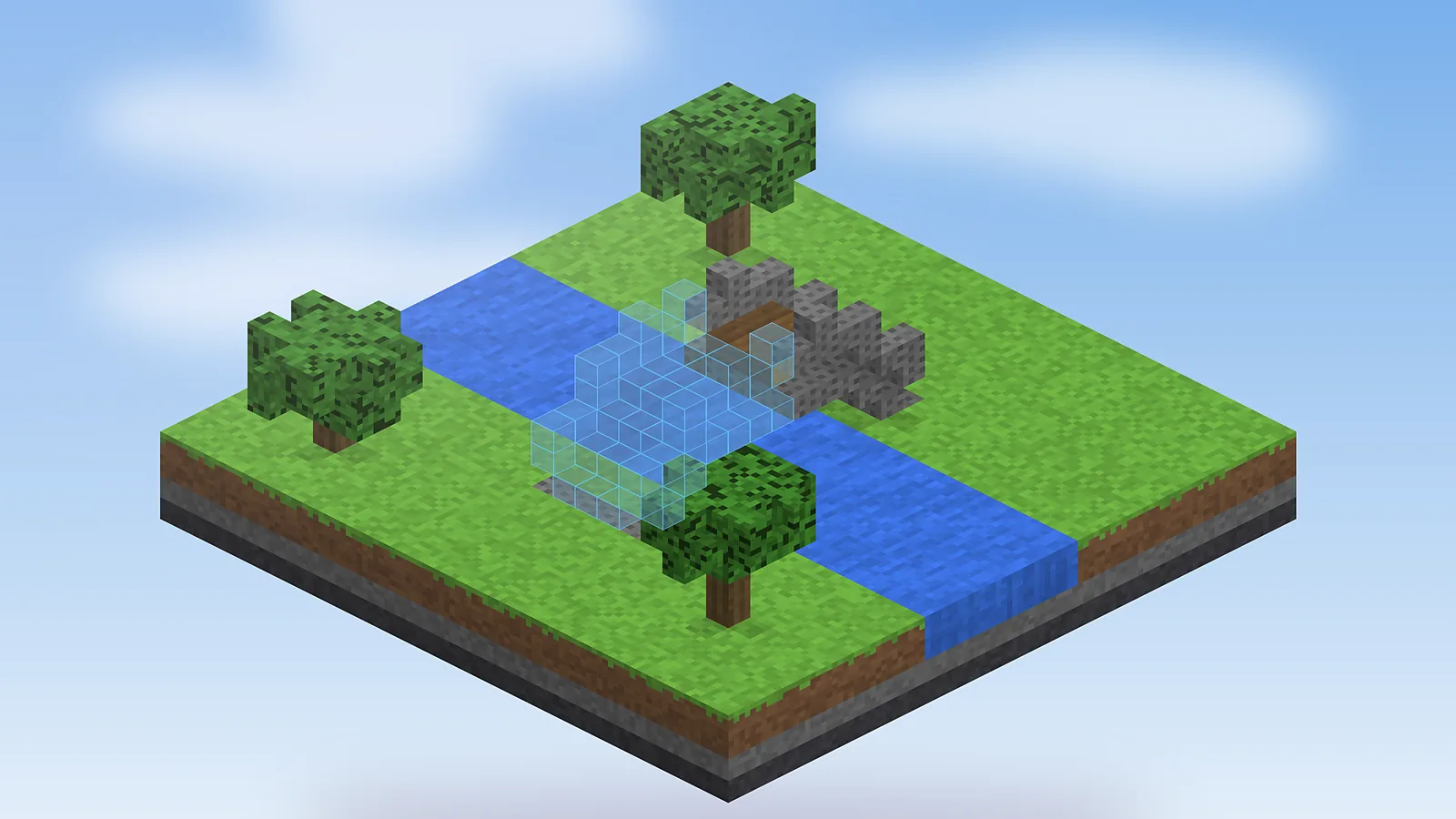
Bridge sub-regionOne sub-region of a stone bridge placed as a hologram over a river.
Layer 12 Support
Troubleshooting
Common errors and the fixes that solve them, plus known issues and performance tips.
Game crashes on start with a missing MaLiLib error
Litematica cannot run on its own. Download MaLiLib for the exact same Minecraft version and put it in the same mods folder, then restart.
Pressing M does nothing
Make sure you launched the Fabric profile, not vanilla. If another mod uses M, rebind the main menu key under Configuration, Hotkeys.
The hologram is invisible
Rendering may be toggled off. Press M + R, or open the placement and check that rendering is enabled for it.
Blocks face the wrong way
Easy Place and manual placement depend on where you look. Enable Easy Place so the mod sets facing and states for you.
Schematic loads in the wrong spot
Open Schematic Placements and type the exact origin coordinates, then lock the placement so it stops moving.
FPS drops with large builds
Render one layer or a range instead of everything, lower render distance and turn off overlay rendering for finished parts.
Known issues
Some shader packs can hide or tint holograms.
Very old .schematic files may use legacy block IDs.
Printer add-ons are unofficial and may lag behind releases.
Real-world feedback from builders, admins, students and creators who use Schematic Mod.
AK
Ayesha K.
Survival builder
Verified
I rebuilt a full medieval town in survival with it. The material list saved me hours of counting, and the verifier caught a stair I had placed backwards on the church roof.
ML
Marcus L.
Server admin
Verified
Our build team shares every plan as a .litematic file now. New members pick it up in one evening and plots match the approved design exactly.
PS
Priya S.
Computer science student
Verified
Great for recreating landmarks for a class project. The first hour is confusing, but the layer view makes tall builds easy to follow.
DR
Diego R.
Technical player
Verified
Rebuilding farms from world downloads is where this shines. Wrong-state highlighting on observers and pistons is worth the install alone.
HW
Hannah W.
YouTube creator
Verified
I plan timelapse builds with the hologram up and the camera rolling. It keeps every episode consistent with the original design.
OF
Omar F.
Map maker
Verified
Sub-regions let me move sections independently and ship clean files to testers. I wish the Forge support were official, but Fabric is fine.
Layer 16 FAQ
Frequently Asked Questions
Straight answers about downloading, installing, licensing, updating and fixing Schematic Mod.
Download and setup
8 answers
Is Schematic Mod free to download?
Yes. Schematic Mod, better known as Litematica, is completely free and open source under the LGPL-3.0 licence. There are no paid tiers or hidden unlocks. Download it from the official GitHub releases page or the Modrinth and CurseForge mirrors, and avoid reupload sites that bundle installers or ask you to complete surveys first.
Where does the schematics folder live?
Litematica reads schematics from the schematics folder inside your Minecraft directory, for example .minecraft/schematics on Windows. If it does not exist, create it or let the mod create it the first time you save a build. Launchers such as Prism or CurseForge keep a separate folder per instance, so check the instance directory instead of the default one.
Do I need MaLiLib to use it?
Yes. MaLiLib is a shared library by the same developer that powers the menus, hotkeys and configuration screens. Download the MaLiLib version made for the same Minecraft version and place it in the mods folder next to Litematica. Without it, Fabric stops the game at launch with a missing dependency message that names MaLiLib.
Is there a Schematic Mod for Forge?
Litematica is developed for Fabric first. Official Forge builds exist for Minecraft 1.12.2, and community ports have appeared for some newer versions. For the most reliable experience on modern Minecraft, install the Fabric loader. If you run a Forge modpack, check whether a maintained port exists for your exact version before mixing loaders.
Does Schematic Mod work on Bedrock?
No. Litematica is a Java Edition mod and cannot run on Bedrock, which does not support Fabric mods. Bedrock players can use structure blocks, .mcstructure files or external editors such as Amulet to move builds between worlds. Many schematic files can be converted, but you will not get the in-game hologram guide on Bedrock.
Which Minecraft versions are supported?
Builds are available for a wide range of releases, from the classic 1.12.2 up to the current 26.1 line, including 1.21.11. Always download the file that names your exact Minecraft version, and pair it with the MaLiLib build for that same version. Mixing versions is the most common cause of crashes during start-up.
How do I install it the first time?
Install the Fabric loader, then put the Litematica and MaLiLib jar files in your mods folder and launch the Fabric profile. Press M inside a world to open the main menu. Our installation page walks through Windows, macOS, Linux, Android and iOS with the folder paths each platform uses.
Can I use it on a multiplayer server?
Yes. Litematica is client-side, so the hologram, material list and verifier work on most servers without the server installing anything. Pasting schematics needs operator rights, and printer-style add-ons that place blocks for you are banned on many public servers. Read the server rules or ask staff before using automated placement.
Safety, updates and support
8 answers
Is Schematic Mod safe to install?
Yes, when you get it from official sources. The source code is public on GitHub, thousands of players review it and the files are hosted on Modrinth and CurseForge, which scan uploads. Never run an .exe that claims to be Litematica. The real mod is a .jar file that goes into the mods folder.
Does the mod collect any personal data?
No. Litematica has no accounts, advertising or analytics. It reads and writes files only inside your Minecraft folder, mainly schematics and config files, and it never uploads your builds. If you share a schematic, you do that yourself by sending the .litematic file to someone else.
What licence is Litematica released under?
Litematica is released under the GNU Lesser General Public License v3.0. You can use it for free, study the code and share it. If you redistribute a modified version you must keep the same licence terms. Modpack authors should check the host site's rules and credit the original developer, masa.
How do I update to a new version?
Delete the old Litematica and MaLiLib jars from your mods folder, then add the new pair built for your Minecraft version. Your schematics and settings stay in place because they live in separate folders. Back up the schematics folder before large Minecraft updates in case a new version changes block data.
Why does my game crash after updating?
Most crashes come from a version mismatch between Minecraft, Fabric Loader, Litematica and MaLiLib. Update the Fabric loader, make sure both mod files target the same Minecraft version and remove duplicate jars. If it still crashes, read the latest crash report, which usually names the conflicting mod clearly.
Why can't I see my schematic?
Check that rendering is on with M + R and that the placement itself is enabled in the Schematic Placements list. Also confirm you are in the right dimension and near the origin coordinates. Some shader packs hide translucent blocks, so try again with shaders turned off if the hologram still refuses to show up.
What are the best alternatives?
WorldEdit is great for fast copy and paste but has no build guide. Axiom offers a powerful in-game editor, and vanilla structure blocks need no mods at all. Schematica was the original but stopped at 1.12.2. See our comparison table and the Litematica vs Schematica article for a deeper breakdown.
Can I convert other schematic formats?
Yes, in most cases. Litematica can read older .schematic files and vanilla .nbt structures, and newer builds also load Sponge .schem files from WorldEdit. Bedrock .mcstructure files need converting with an external tool first. Our schematic conversion guide explains which formats keep block states and which lose detail.
Layer 17 Blog
Latest Guides and Tutorials
Practical walkthroughs written for builders, from first install to advanced schematic tricks.
 Schematic Mod